“I participated in an Influencer Activation on behalf of Mom Central for the American Optometric Association. I received a promotional item to thank me for my participation.”

Ever since I received a note home from the teacher to have my daughters eye checked, I have been concerned with my family’s eye health. My daughter was in the second grade and had never complained about her eyes. During her previous checkups and physicals the doctor never mentioned that they seen anything wrong with her vision, so it wasn’t a concern. When I took her to have an eye exam, the optometrist was surprised that my daughter never complained and prescribed her eyeglasses. After that appointment, I made an appointment for my son who was just a toddler.
The use of technology among children both at home and at school is definitely on the rise. There is a new survey from the American Optometric Association (AOA) that shows parents drastically underestimate the time that their children spend on digital devices. I know my children use digital devices at home but they are also using them at school. My daughter is even in an after program at school where the students get to use iPads and iMacs to play educational learning games.
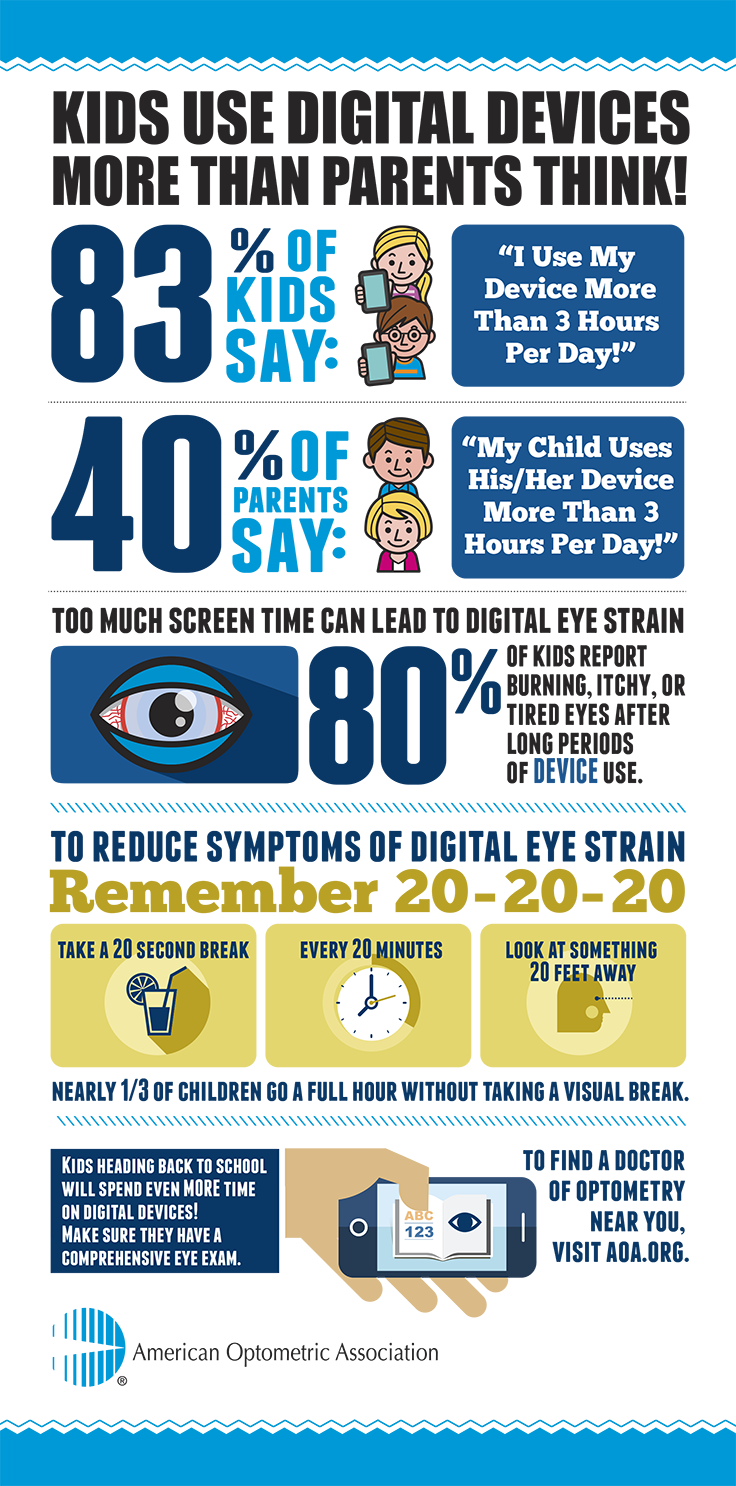
Did you know that eighty percent of children surveyed report experiencing burning, itchy or tired eyes after using electronic devices for long periods of time?
Here are some tips that the AOA recommends to remember to help prevent or reduce eye and vision problems associated with digital eye strain and exposure:
Tip One – Check Height & Position Of Device
Computer screens should be our to five inches below eye level and 20 to 28 inches away from eyes. Digital devices should be held at a safe distance away from eyes and slightly below eye level.
Tip Two – Check For Glare On The Screen
Windows and other light sources should not be directly visible when sitting in front of a computer screen. If this happens, turn the desk or computer to prevent glare on the screen. You might also consider adjusting the brightness of the screen on your digital devices or changing the background color.
Tip Three – Reduce The Amount Of Lighting
Reduce the amount of light in the room to match the computer screen. A lower-wattage light can be used instead of a bright overhead light or a dimmer switch may be installed to give flexible control of your room’s lighting.
Tip Four – Adjust Font Size
Increase the size of the text on the screen of the device that is being used to make it easier on the eyes when reading.
Tip Five – Keep Blinking
Frequent blinking can reduce the chances for developing dry eye by keeping the front surface of the eye moist.
When it comes to your family’s eye health, comprehensive eye exams by an optometrist are important and essential in helping to identify the signs and symptoms associated with digital eye strain and other vision problems. The AOA recommends that every child have an eye exam by an optometrist soon after they turn 6 months old, before they turn age three and every year thereafter.
You can learn more about the American Optometric Association (AOA) by visiting there Facebook and Twitter profiles.